Yacht Cybersecurity Checklist: Protecting Wi-Fi, Starlink and Onboard Systems
Protect yacht accounts and connected systems with a practical checklist for network access, updates, remote support, backups and incident response.

Research checked: October 15, 2026
Yachts now connect satellite internet terminals such as Starlink, Wi-Fi, phones, cameras, entertainment, remote monitoring and navigation equipment. The risk is not limited to someone stealing a password: a poorly controlled account or device can expose private data, interrupt communications or create trouble for onboard systems.
This practical checklist helps owners and captains map digital access, protect accounts, separate guest use from vessel operations and prepare for a problem. It is written for recreational yachts and is not a technical installation guide. Have a qualified marine electronics specialist review changes that could affect navigation, propulsion or other safety-related equipment.
Start with a Simple Yacht Cybersecurity Plan
Think in terms of three questions: what needs protection, who can reach it, and how the yacht can keep operating if a service is unavailable. The International Maritime Organization describes cyber risk in terms of technology events that can cause operational, safety or security failures. Its formal safety-management requirements apply within their stated maritime scope; recreational owners can still use the general risk-management ideas without assuming that a commercial-ship rule applies to their yacht.
Make a short inventory before changing settings. Include the satellite terminal and router, Wi-Fi access points, phones and tablets, email and cloud accounts, cameras, smart-home or monitoring equipment, chartplotters, navigation sensors, software subscriptions, and any service-provider remote access. Record the model, account owner, support contact and last update where known. Avoid putting passwords or recovery codes in an unsecured spreadsheet.
| Asset | What to record | Why it helps |
|---|---|---|
| Internet and Wi-Fi | Router, access points, admin account, guest network and satellite service | Shows how personal devices connect to the yacht |
| Vessel systems | Navigation, monitoring, automation, engine or generator gateways | Identifies equipment that needs specialist handling |
| People and accounts | Owner, captain, crew, family and approved service providers | Clarifies who has access and how it is removed |
| Data and recovery | Charts, configurations, documents, contacts and backups | Helps restore useful information after a device or account problem |
1. Separate Guest Internet from Vessel Equipment
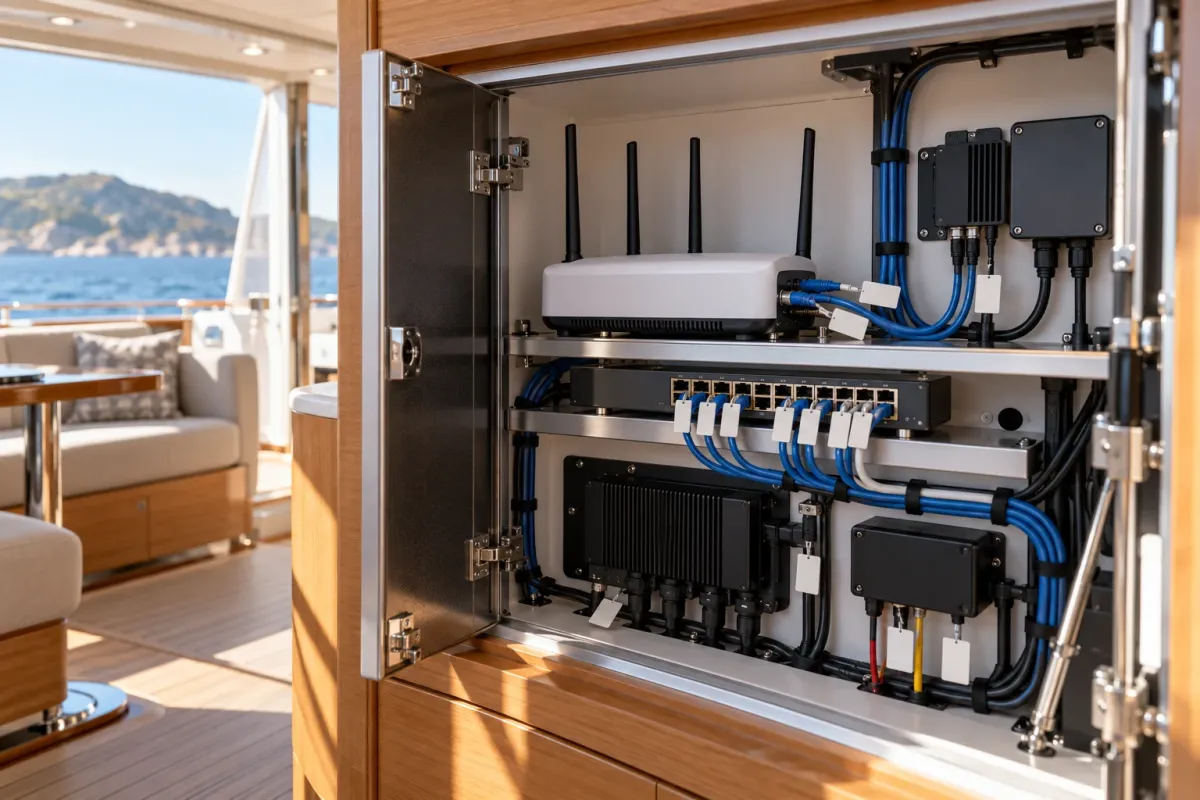
Guests should have convenient internet access without automatically receiving access to router administration, cameras, vessel monitoring or navigation equipment. Ask your marine electronics installer whether the yacht’s network can provide separate guest, crew and vessel-system access, and what equipment is designed to communicate across those networks.
Network separation can limit how far a problem spreads, but a poorly designed connection between networks can undo that protection. Do not move chartplotters, engine gateways or other equipment to a different network simply by following a general online tutorial. Have the installer document the approved layout and preserve the manufacturer’s support and safety requirements.
Give the guest network its own name and password, change the password when access needs change, and avoid sharing the administrator password for the satellite terminal or router. Turn off features such as guest-to-device access if the equipment offers them and the installer confirms they are appropriate.
2. Secure Accounts, Passwords and Remote Access
Use a unique password for each important service, especially email, satellite internet, cloud storage, banking, marina accounts and remote yacht monitoring. A reputable password manager can help an owner or captain keep those credentials organized. Enable multi-factor authentication (MFA) wherever the service offers it. NIST explains that MFA requires an additional proof of identity beyond a password and recommends checking which sensitive accounts support it.
Protect the email account used to reset other passwords first. Keep recovery phone numbers and backup codes current, and store recovery information somewhere the owner or designated captain can access securely. Do not send passwords or one-time codes through an ordinary group chat.
Remote access from an installer or service company should be approved and limited to the work required. Ask who can connect, which systems they can reach, how access is enabled and removed, and how a session is recorded. Disable persistent remote access if it is not required. CISA recommends reviewing remote-access tools and restricting their use to approved methods; the yacht’s system integrator can translate that advice to the equipment onboard.
3. Keep Software Current with a Safe Update Routine
Update phones, tablets, laptops, router firmware, satellite equipment and marine electronics using the manufacturer’s current instructions. Turn on automatic updates for ordinary personal devices when suitable, and check the maker’s release notes and compatibility guidance for vessel equipment. Avoid installing files from unofficial download sites or accepting unexpected “support” links.
Plan marine-system updates for a time when the yacht is alongside and can tolerate a temporary interruption. Confirm the current configuration is documented, save any supported backup, and know how to contact the installer if a device does not restart normally. Do not update critical navigation or control equipment underway unless the manufacturer’s procedure specifically calls for it.
Keep an eye on end-of-support notices. If a router or connected device no longer receives security updates, ask the supplier about replacement options and whether it can be isolated safely until replacement. Do not assume that an older device is harmless simply because it is used only occasionally.
4. Manage Phones, USB Drives and Crew Changes
Personal phones, guest devices and removable storage can introduce unfamiliar software or connect to more than one network. Keep personal browsing and entertainment devices on the guest network. Do not plug an unknown USB drive into a chartplotter, laptop or service computer. If a vendor needs to use removable media, confirm the source and the manufacturer-approved process first.
Give each crew member an individual account where practical instead of sharing one permanent login. Remove access when a role changes, a contractor finishes a job or a device is lost. Agree who can change network settings, create new users, approve remote access and reset accounts. Keep the instructions short enough that the crew can follow them during a busy handover.
Reduce the amount of sensitive information visible to visitors. Crew schedules, owner travel dates, security-camera feeds, Wi-Fi credentials and vessel documents should be shared only with people who need them. Review location sharing and cloud photo settings on owner and crew devices when the yacht is unattended.
5. Back Up Data and Prepare for Lost Connectivity
Keep recoverable copies of important documents and supported system configurations: equipment manuals, service records, contact details, registration documents, network diagrams and navigation data where the equipment permits export. Store a copy in a secure cloud account and another protected copy that is not continuously connected to the yacht’s network. Test that the files open and that the designated captain can find them.
Plan for the satellite link or cloud service to be unavailable. Keep essential phone numbers and procedures available offline, and know how the crew will use approved navigation backups and onboard communications. Digital security must not create a new single point of failure for safe operation.
For privacy, limit the personal data stored on shared devices and remove it before a device is sold, returned or reassigned. Make sure the person responsible for the account can revoke a lost device’s access without relying on that device itself.
6. Know What to Do if Something Looks Wrong
Agree a simple response before an incident. If an account behaves unexpectedly, use a trusted device and a known service address to change its password, revoke unfamiliar sessions and contact the provider. If a personal device may be compromised, disconnect it from the guest network and ask the support provider for advice.
If a connected device appears to affect navigation, propulsion or another operational system, follow the vessel’s safety procedures and contact the qualified installer or equipment manufacturer. Do not experiment with network resets or disconnect equipment that may be needed for safe operation. Preserve relevant alerts and times for the support team, while protecting private information.
Make sure the captain knows who to call: the satellite provider, network installer, marine electronics service company, yacht manager and insurer where appropriate. Review any incident-reporting or notification duties with the relevant company or adviser; this guide does not determine legal or policy obligations.
A 30-Minute First Pass
- List the yacht’s internet, accounts, connected devices and system-support contacts.
- Change default administrator credentials using the equipment maker’s instructions.
- Enable MFA for owner email, cloud storage and other sensitive accounts where available.
- Give guests separate internet access and ask an installer to review vessel-system separation.
- Review which service providers have remote access and remove access that is no longer needed.
- Check update status and schedule supported marine-equipment updates alongside.
- Save and test an offline copy of key documents, contacts and supported configurations.
- Write down who responds to a lost device, account takeover or system outage.
Frequently Asked Questions
Should guests use the same Wi-Fi as navigation equipment?
Ask the marine electronics installer how the network is designed. Guest access should be limited to internet use, while any connection to onboard systems should be deliberately designed, documented and supported.
Does maritime cyber guidance automatically apply to a private yacht?
No. IMO materials include guidance and formal measures for maritime organizations and vessels within their scope. A private owner can apply general practices, but should confirm any legal obligations with the vessel’s manager or qualified adviser.
Can I change yacht router or chartplotter settings myself?
Use the manufacturer’s instructions for ordinary account settings. Ask a qualified marine electronics specialist before changing network or equipment settings that could affect navigation, automation, monitoring or support.
What if the yacht loses satellite internet?
Use the vessel’s offline communications and navigation procedures, keep essential documents and contacts available locally, and follow the operating plan prepared by the captain. Internet access should not be the only way to retrieve safety-critical information.
Sources and Method
Research checked October 15, 2026. The recommendations are a practical adaptation of general security and maritime risk-management guidance for yacht owners, not a certification checklist or a substitute for a yacht-specific network design. IMO’s requirements depend on the vessel and organization’s regulatory scope. YachtMetric has not inspected or tested a particular yacht network.
- International Maritime Organization: maritime cyber risk and current guidance.
- MB92: 2026 industry report on digitalization and cybersecurity in refit.
- NIST: multi-factor authentication guidance, updated January 5, 2026.
- CISA: security updates, network segmentation, remote access and backups.
- NIST: Cybersecurity Framework 2.0 Small Business Quick-Start Guide.